KISWB
PSdzData has many many components. Inside PSdzData folder structures you may find some folders named KISWB. The KIS portion of the name stands for something similar to compatibility and information system and WB portion of that name comes from WissensBasis that means knowledge base in English.
The files contained inside KISWB are HSQL databases. These files can be opened using any HyperSQL DataBase client. Currently, my recommended tool to work with KISWB databases is DBeaver.
Browsing KISWB
In order to open a KISWB download and install DBeaver. Open the program and click on the new database connection button.
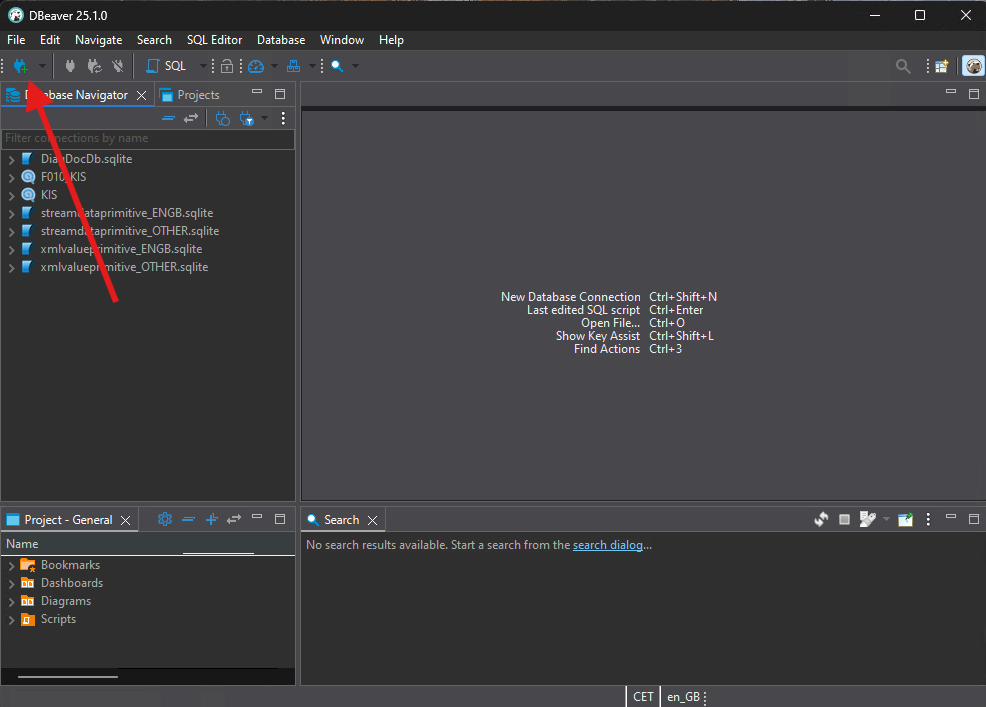
From the option list select HSQL Embedded option and click on Next.

Select the folder path of the KISWB database you want to browse. Also, make sure you append the KIS file name at the end. Clock on Finish.
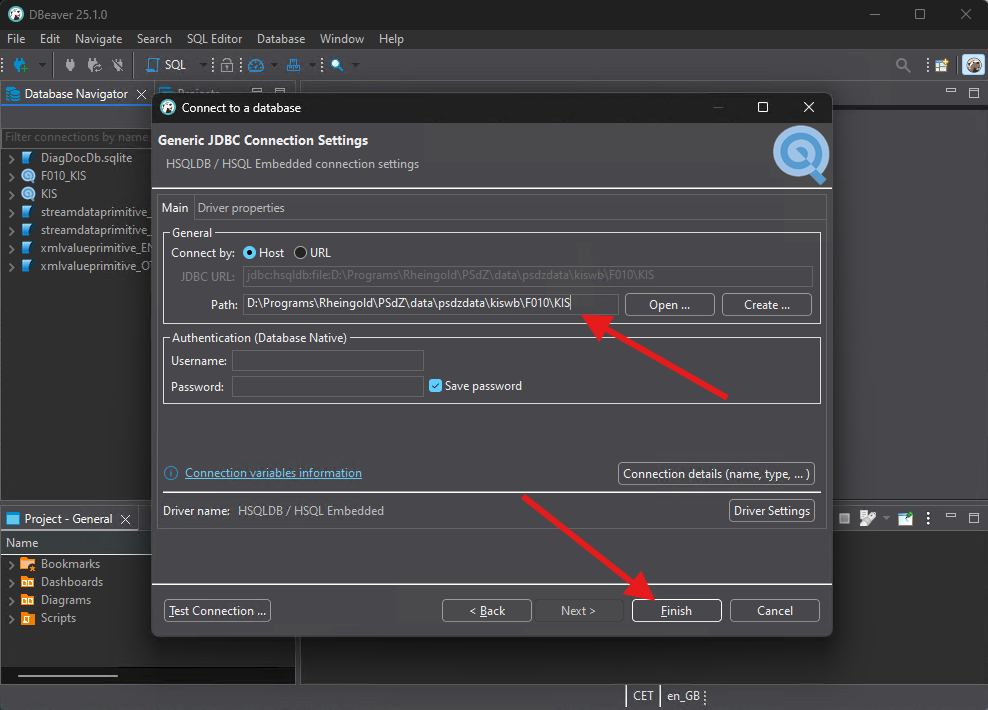
You may now browse the database contents.
KISWB Tables
A summary of the tables contained in a KISWB database can be found below:
| Table | Description |
|---|---|
| BRV | Lists the main series (Baureihe Verbund) in the database. |
| EBR | Lists Entwicklungscodes (Development Codes) and shows its relationship with the BRV table (Baureihe Verbund - Main series). |
| FAHRZEUGTYP | Lists Fahrzeugtyp (Vehicle types) and its correlation to EBR (Entwicklungscodes - Development Codes). |